What is a Wifi Doorbell and How Does It Work?
In today’s tech-driven world, a Wifi Doorbell stands as an essential innovation in home security. This device not only alerts homeowners to visitors but also allows for interactive communication. As security expert Jane Smith points out, “A Wifi Doorbell brings peace of mind by connecting you to your home even when you’re away.”
Many people still struggle with understanding how this technology works. Wifi Doorbells leverage wireless internet connections to transmit video and audio, making it easier to monitor your front door. They often feature motion detection, allowing for alerts even without a ringing bell. However, the effectiveness of these devices often depends on Wi-Fi signal strength and installation placement.
While a Wifi Doorbell offers numerous benefits, some users may encounter connectivity issues or privacy concerns. Understanding optimal placement and ensuring strong Wi-Fi coverage can significantly enhance performance. In addition, it is crucial to consider how data privacy is managed with these devices. As families embrace this technology, the balance between convenience and security remains a topic for reflection.
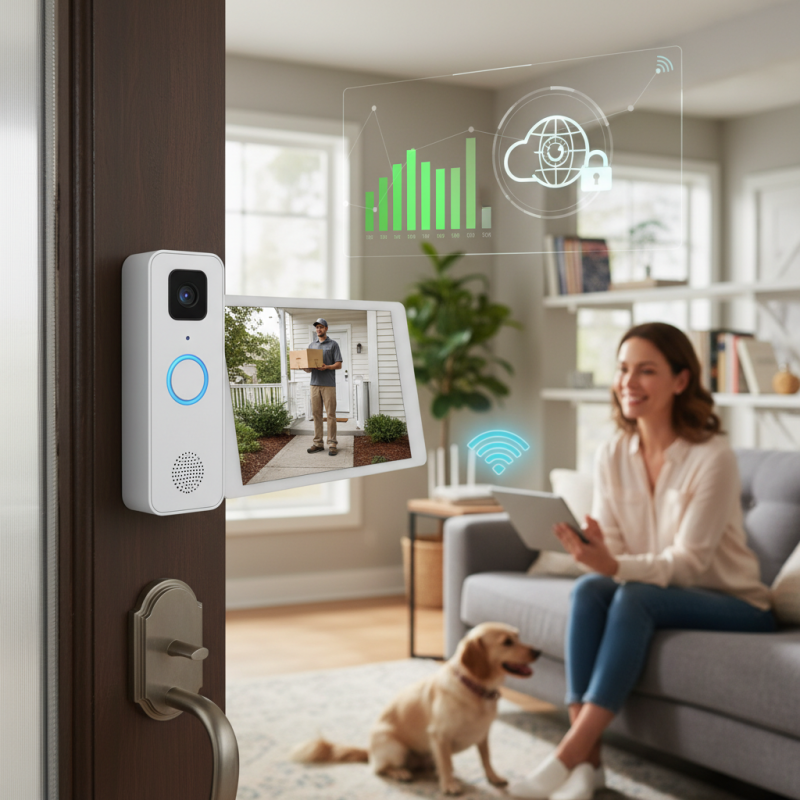
What is a Wifi Doorbell?
A WiFi doorbell is a modern device that enhances home security and convenience. It connects to your home WiFi network. This allows you to see and communicate with visitors remotely through a smartphone app. When someone rings your doorbell, it activates the camera and sends a notification to your phone.
The design of a WiFi doorbell is compact and sleek. It often features a built-in camera, motion sensors, and two-way audio. Many consumers appreciate these functions as they provide a sense of control. However, installation can sometimes be challenging. Some homeowners encounter difficulties connecting the device to their WiFi network.
Not all WiFi doorbells perform equally well in various lighting conditions. Some may struggle to capture clear images at night. Additionally, the reliability of the connection can vary based on the distance from the router. Homeowners might find themselves needing to troubleshoot connectivity issues. These challenges raise questions about the overall reliability of such devices. Ensuring proper setup and understanding potential limitations can lead to a better experience with a WiFi doorbell.
Wifi Doorbell Features Comparison
This bar chart compares five key features of wifi doorbells, rated on a scale from 1 to 10. Video quality and two-way audio tend to receive the highest ratings, while cloud storage has room for improvement.
Key Features of Wifi Doorbells
Wifi doorbells have become a popular choice for modern home security. They combine a camera, speaker, and microphone in one device. With a Wifi connection, users can monitor their front door remotely. When someone presses the doorbell, you'll receive an alert on your smartphone. This setup fosters both convenience and security for homeowners.
Key features of Wifi doorbells include high-definition video recording, night vision, and motion detection. Many models allow two-way audio, letting you communicate with visitors without opening the door. You can also access cloud storage for recorded footage. Some devices integrate seamlessly with smart home systems, enhancing your overall security network.
**Tips:** When selecting a Wifi doorbell, consider the field of view. A wider angle helps capture more of the entrance area. Battery-operated models may save installation hassles but check battery life regularly. Reviews are important; they can shed light on real user experiences. Look for products that offer good customer support and clear installation instructions. Reflect on your specific needs; some features may not be necessary for everyone.
How Wifi Doorbells Operate
Wifi doorbells have gained popularity due to their convenience and functionality. These devices function by connecting to your home’s WiFi network, allowing you to see and communicate with visitors remotely. When someone approaches your door, the doorbell activates. It sends a notification to your smartphone or tablet, letting you know a visitor is present.
Inside the doorbell, a camera captures video footage of the entrance. This footage is transmitted through the WiFi network. Most Wifi doorbells offer high-definition video, which can be accessed in real-time. Some models even have night vision capabilities. You can view the live feed through a dedicated app, enabling you to see who’s at your door, day or night.
Installation might seem simple, but it's crucial to consider your WiFi signal strength. Poor connectivity can lead to delays in notifications. Power source is another factor. Some Wifi doorbells run on batteries, while others need hardwired connections. It's essential to match the doorbell's requirements with your home setup. Users sometimes overlook these details, affecting the device's overall performance.
Benefits of Using a Wifi Doorbell
Wifi doorbells offer innovative solutions for home security and convenience. These devices allow homeowners to see and communicate with visitors remotely. A key benefit of using a Wifi doorbell is enhanced security. With real-time video feeds, you can monitor who approaches your home. This feature can deter potential intruders and provide peace of mind.
Another significant advantage of Wifi doorbells is their integration with smart home systems. They can connect with other devices, like security cameras, lights, and alarms. This connection creates a seamless security ecosystem. However, it's essential to secure your Wifi network. A weak network can expose your home to breaches.
Tip: Ensure your Wifi password is strong and changed regularly.
Tip: Regularly check for software updates to enhance device security.
Despite these benefits, Wifi doorbells can have drawbacks. Battery life can vary, leading to maintenance challenges. Issues with connectivity might also arise, which can be frustrating. Homeowners should weigh these factors before investing in such technology.
Installation and Setup Process for Wifi Doorbells
Installing a WiFi doorbell can enhance your home security. Understanding the setup process is key. Start by selecting a suitable location. Ensure the doorbell has a clear view of your entrance. Ideally, install it about four feet from the ground.
Next, gather necessary tools. You'll typically need a drill, a screwdriver, and mounting hardware. Read the manufacturer's instructions carefully. Some models require a wiring connection, while others run on batteries. If you're uncertain about wiring, consider seeking professional help.
Tips: Take your time during installation. Rushing may lead to errors. Double-check your connections. If the doorbell has a camera, adjust the angle to capture the best view.
Once installed, proceed with the setup. Connect the doorbell to your home WiFi. Use the manufacturer's app for a seamless experience. Follow the prompts to register your device. Testing the functionality is crucial. Check if notifications are received on your smartphone.
Tips: Remember to update the app and firmware regularly. Doing so enhances security and functionality. If the doorbell doesn’t respond as expected, revisit the installation steps. It's common to overlook small details.
What is a Wifi Doorbell and How Does It Work? - Installation and Setup Process for Wifi Doorbells
| Feature | Description | Benefits |
| Video Recording | Ability to record video of visitors. | Enhances security and allows for remote monitoring. |
| Two-way Audio | Communication feature to speak with visitors. | Promotes interaction without opening the door. |
| Mobile Notifications | Alerts sent to your phone when someone is at the door. | Stay informed of activities at your door while away. |
| Night Vision | Infrared technology for clear video in low light. | Increases safety and visibility during nighttime. |
| Easy Installation | Wireless installation with minimal tools required. | Economical and user-friendly setup process. |